Landscape Wallpaper Guide for 16:10 Android Tablets
FAQ – Wallpaper Orientation & Usage
This page explains why all Screenpaper wallpapers are optimized for landscape orientation on 16:10 tablets, how portrait mode behaves, and how you can adjust the wallpaper for the best possible vertical view. This guide ensures you always know what to expect before downloading, in both landscape and portrait mode.
Why does the wallpaper look different in portrait mode?
All Screenpaper wallpapers are optimized for landscape orientation on 16:10 tablets. Portrait mode remains readable due to centered subject composition, but certain artworks may show a cropped portion of the scene when rotated vertically. This is normal for landscape‑based designs.
Is the wallpaper still usable in portrait mode?
Yes. Every wallpaper remains visually readable in portrait mode. However, the full artwork is best experienced in landscape, where all details and the intended composition are fully visible.
Is this a defect or reason for a refund?
No. This behavior is expected for landscape‑optimized artwork. Each product page clearly states that the wallpaper is designed for landscape orientation, with portrait mode showing a centered, cropped version of the artwork. The downloaded file is exactly as advertised.
Why does the preview have a watermark?
The preview contains a Screenpaper watermark to protect the artwork. The downloaded file is clean, watermark‑free, and delivered in native 2560×1600 resolution.
Tip: Improve your portrait view
Before finalizing your wallpaper as the background, slightly adjust or shift the wallpaper on your tablet’s home screen. press Enter to close the wallpaper settings. This gives you more control over what part of the artwork is visible in portrait mode, helping you center the most important details.
Will future wallpapers support portrait mode better?
Yes. All new Screenpaper designs use centered subject composition in principle, to ensure portrait mode remains readable, even though landscape remains the primary orientation by default.

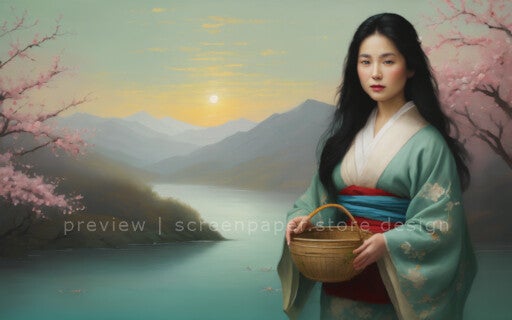

Move the picture on the screen - to the left or to the right when a subject of the wallpaper is not centered by default .